9 Best boom arms for streaming That Keep Mics Stable and Desks Clutter-Free
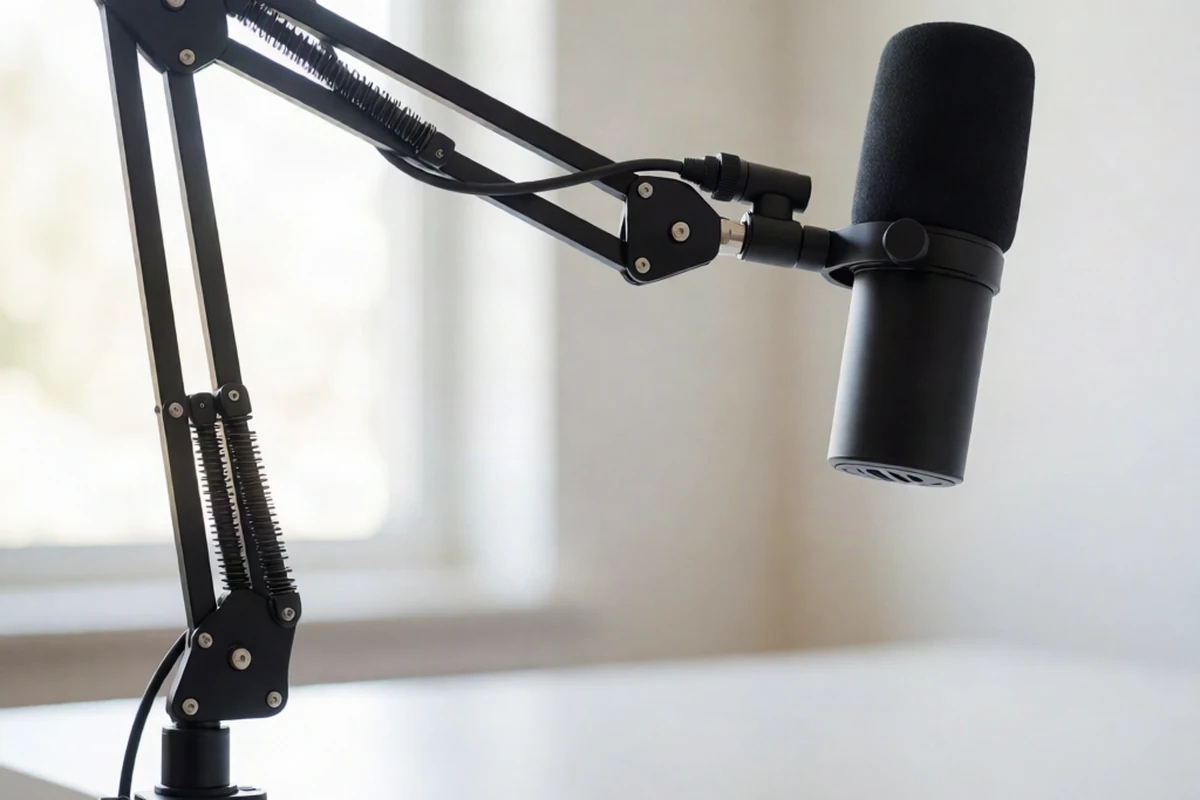
Every streamer knows the sound of a bad mount: the thump of a knee hitting the desk, the wobble every time you type, the mic that drifts out of frame mid-sentence. A flimsy stand sabotages otherwise great content, while the right arm disappears from the shot, kills the bumps, and clears the desk in one move.
That is exactly what the best boom arms for streaming deliver: rock-steady mic positioning, silent movement when you adjust on camera, and cable routing that leaves your setup looking intentional instead of improvised. The nine picks below cover every kind of desk, from low-profile arms that hide behind ultrawide monitors to broadcast classics that swing a mic over your shoulder.
Each arm here earned its slot for how it behaves in a real session: how solidly it clamps, how smoothly it holds position, how much desk space it gives back, and whether the cables actually disappear. Streamers, podcasters, and creators filming overhead shots all have a home in this list.
Quick Picks
Best Overall: RØDE PSA1+ Professional Studio Boom Arm
Spring-damped movement, a silky reach, and studio-grade build that holds position without a whisper.
👉 Meet the RØDE PSA1+ on Amazon
Best Budget: TONOR T20 Adjustable Suspension Boom Arm
A complete mounting kit — arm, pop filter, windscreen, clip, and ties — at the friendliest entry point around.
👉 Grab the TONOR T20 on Amazon
Best Premium: Elgato Wave Mic Arm LP Low Profile Microphone Boom Arm
A fully collapsible low-profile design with a hidden cable channel that vanishes behind any monitor.
👉 Slim Down Your Set with the Elgato Wave Mic Arm LP on Amazon
Best for Broadcast Style Desks: Logitech G Compass Premium Broadcast Boom Arm
Counterweighted precision and clean lines that make a desk look like a network studio.
👉 Anchor Your Broadcast with the Logitech G Compass on Amazon
Comparison Table
| Product Name | Key Feature | Price Range | Link |
|---|---|---|---|
| Elgato Wave Mic Arm LP | Low profile with hidden cable channel | Premium | Check Price on Amazon |
| RØDE PSA1+ | Spring-damped studio movement | Premium | View Deal on Amazon |
| Logitech G Compass | Counterweighted broadcast precision | Premium | See Offer on Amazon |
| Audio-Technica AT8700 | Long-reach adjustable boom | Premium | Check Offer on Amazon |
| Gator Frameworks Deluxe | Spring-loaded joints with cable clips | Premium | See Details on Amazon |
| Samson MBA38 | Thirty-eight inches of reach | Mid | Explore Price on Amazon |
| FIFINE BM88 | Low profile metal build | Budget | View Option on Amazon |
| InnoGear Low Profile | 360-degree flexible positioning | Budget | See It on Amazon |
| TONOR T20 | Complete kit with filter and windscreen | Budget | Grab Deal on Amazon |
Buyer’s Guide
1. Match the Arm Style to Your Camera Line
Low-profile arms — the Elgato LP, FIFINE BM88, and InnoGear — fold flat and hide below the bottom edge of your monitor, which keeps webcam and cinematic shots clean. Full-height suspension arms like the TONOR T20 and Gator swing the mic in from above, which frees the entire desk but puts the boom in wide shots. Pick the silhouette your camera actually sees before you compare anything else.
2. Check Load Capacity Before You Clamp
Every arm has a load capacity range, and exceeding it turns any mount into a slow-motion droop. Broadcast mics and heavy USB dynamics sit comfortably on the PSA1+ and Compass; featherweight podcast mics are fine on the lighter suspension arms. Weigh your microphone with its shock mount, compare it to the arm’s stated capacity, and you will never chase a drifting mic again.
3. Hidden Cable Channels Are the Real Luxury
An exposed XLR or USB cable running down an arm reads as clutter on camera and snags on everything off camera. The Elgato LP, Compass, and Gator route the cable inside the boom; the rest solve it with the velcro ties that ship in the box. If your desk sits on camera, internal routing is the feature that separates a tidy set from a tangled one.
4. Count the Threads and Adapters in the Box
Microphones and arms speak two thread languages — 5/8-inch in the American style and 3/8-inch everywhere else — and the best arms include both or ship the adapter. Every pick here mounts a standard mic clip directly or includes the converter, but only some include spare clips and extra hardware. Confirm the thread match before checkout and assembly takes two minutes instead of a returns ticket.
One Mistake to Avoid: Clamping to Glass or a Floating Desktop
Glass tops, shallow floating shelves, and hollow drawer edges cannot take clamp pressure, so the mount creeps, the desk flexes, and every keyboard tap travels straight up the boom. Clamp to a solid desk edge with a flat underside, add the included padding where the jaws meet wood, and the thumps vanish from your recordings for good.
9 Best boom arms for streaming That Keep Mics Stable and Desks Clutter-Free
The nine picks below follow the way a streaming desk actually comes together: two low-profile hiders, two broadcast statement arms, a long spring-loaded workhorse, a mid-size reach, a slim metal value arm, a flexible wildcard, and the complete starter kit. Each entry covers what the arm does, who it fits, and where it asks for patience.
1. Elgato Wave Mic Arm LP Low Profile Microphone Boom Arm
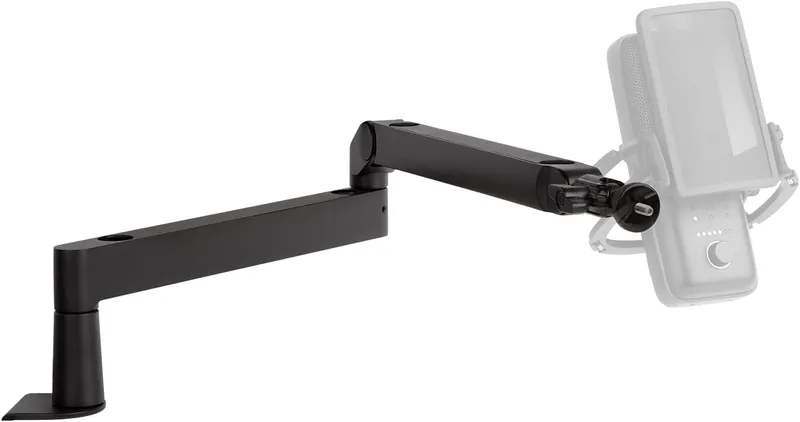
Best for: Streamers who want the mic on camera but the arm nowhere in sight.
- Fully collapsible low profile: Folds flat and ducks below the monitor line, invisible to webcams.
- Hidden cable channel: The XLR or USB cable slides inside the boom and disappears completely.
- Premium metal construction: Solid joints that hold position without drooping over long sessions.
- Desk clamp plus thread adapters: Mounts to standard edges and accepts any broadcast mic clip.
- Full-motion joints: Swing, raise, and rotate the mic anywhere on screen in one move.
Pros:
- The cleanest on-camera look of any arm in the roundup.
- Cable channel that ends visible-wire clutter for good.
- Build quality that matches Elgato’s streaming ecosystem.
Cons:
- Demands a desk edge it can clamp securely.
- Low profile means a shorter working radius.
- Costs more than full-size suspension arms.
Tuck It Away with the Elgato Wave Mic Arm LP
2. RØDE PSA1+ Professional Studio Boom Arm
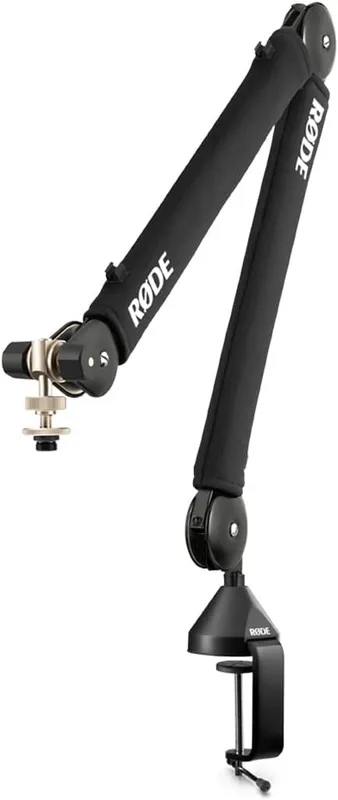
Best for: Creators who want silent, broadcast-grade movement on every adjustment.
- Spring-damped movement: Silky repositioning with no creaks, springs, or squeaks through the mic.
- Generous load capacity: Holds heavy broadcast mics and shock mounts without sagging.
- Silent desk clamp: The 70mm clamp seats solidly and stays put through daily use.
- Dual thread options: 3/8-inch and 5/8-inch mounts ready out of the box.
- Wide working reach: Covers shoulder mounts, top-down shots, and push-ins across a full desk.
Pros:
- The studio reference arm that bigger broadcasters actually use.
- Movement so smooth it never reaches the microphone.
- Build that survives daily repositioning for years.
Cons:
- Full-size boom shows in wide camera shots.
- Costs more than suspension starter kits.
- Overkill for featherweight mics.
Float Your Mic with the RØDE PSA1+
3. Logitech G Compass Premium Broadcast Boom Arm
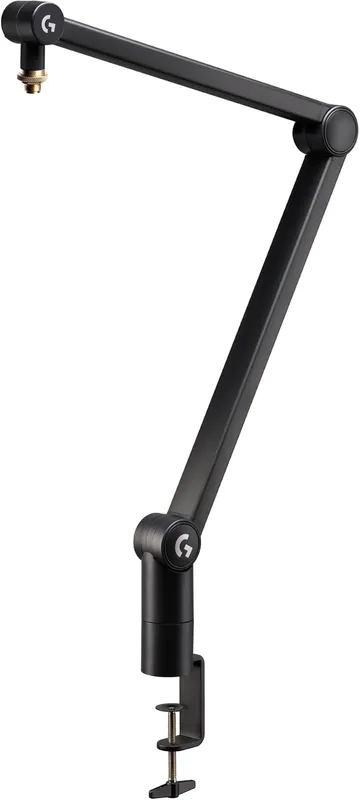
Best for: Streamers building a studio-grade desk that photographs beautifully.
- Counterweighted precision: Balanced joints hold any angle you set with two-finger adjustments.
- Internal cable routing: Wires disappear into the arm for a spotless on-camera silhouette.
- Broadcast-style geometry: Classic Z-fold reach that parks a mic exactly where you lean in.
- Premium matte finish: A look that matches flagship streaming setups.
- Solid clamp foundation: Seats on thick desks and stays rock-still through take after take.
Pros:
- Positioning that feels like a physical mixing fader — set it and it stays.
- Cable management that makes the whole desk look designed.
- Pairs naturally with Logitech’s streaming gear family.
Cons:
- Wants a substantial desk edge for its clamp.
- Premium ask over mid-range arms.
- Fewer bundled adapters than starter kits.
Stage Your Angle with the Logitech G Compass
4. Audio-Technica AT8700 Adjustable Microphone Boom Arm
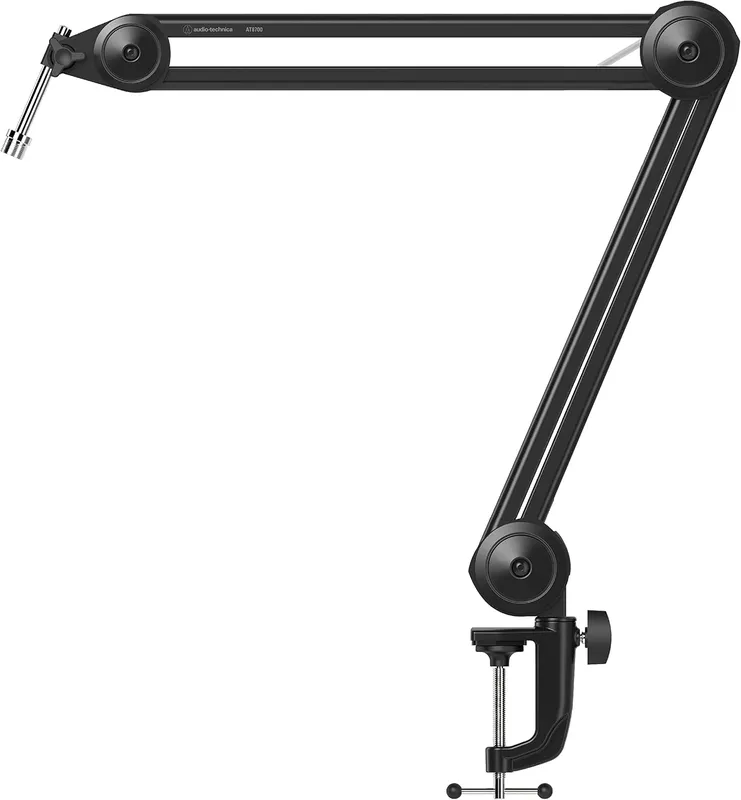
Best for: Podcasters who want pro-audio brand reliability behind their mount.
- Long articulated reach: Extends across wide desks for over-shoulder and top-down positioning.
- Rigid box-frame arms: Solid links that resist bounce while you type.
- Secure C-clamp base: Tightens onto standard desk edges and holds through long sessions.
- Standard 5/8-inch thread: Accepts broadcast mic clips and shock mounts directly.
- Sleek matte build: A studio-instrument look that stays out of the shot’s story.
Pros:
- Audio-Technica engineering behind every joint.
- Reach that covers dual-monitor desks with room to spare.
- Rigid frame that quiets keyboard bumps.
Cons:
- No internal cable channel, so plan your tie-downs.
- Bare-bones hardware list in the box.
- Finish shows scuffs after heavy travel.
Swing It Clean with the Audio-Technica AT8700
5. Gator Frameworks Deluxe Spring-Loaded Desk-Mounted Microphone Boom Arm
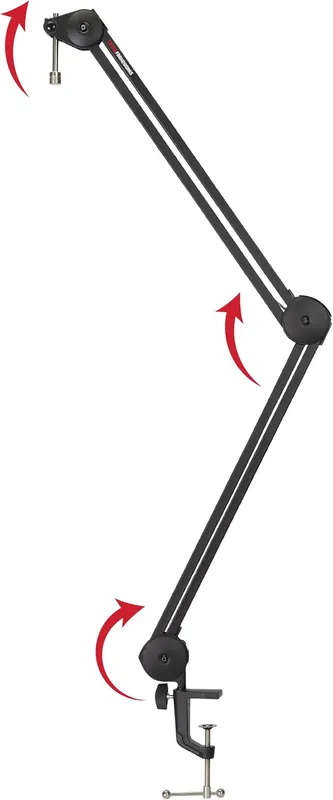
Best for: Creators who reposition constantly and want springs that forgive everything.
- Spring-loaded joints: Fast, effortless repositioning that snaps back exactly where you set it.
- Integrated cable clips: Wires ride along the boom in tidy clips instead of dangling.
- Solid load capacity: Handles full-size dynamic mics with shock mounts.
- Padded desk clamp: Grips firmly with protection where the jaws meet the wood.
- Standard threading with adapter: Mounts both common mic clip styles.
Pros:
- The workhorse choice for daily-adjustment desks.
- Cable clips tame wires without a hidden channel.
- Proven platform with a long track record in studios.
Cons:
- Springs can carry faint handling noise if bumped hard.
- Full-size arm visible in wide shots.
- Clamp needs a thick, solid desk edge.
Lean on the Gator Frameworks Deluxe
6. Samson MBA38 38-Inch Microphone Boom Arm
![Samson MBA38 black boom arm clamped to a desk edge.]](https://bmxstudio.com/wp-content/uploads/2026/10/samson-mba38-boom-arm.webp)
Best for: Deep desk setups that need serious reach on a mid-range spend.
- Thirty-eight-inch reach: Spans wide desks, dual-monitor arms, and over-the-shoulder positions.
- Spring-loaded pivot joints: Smooth height and angle changes that hold their setting.
- Hidden cable channel along the boom: The wire rides inside the arm, not down your wall of cables.
- Solid desk clamp: Seats on standard edges with a secure screw-down grip.
- Standard mic threading: Mounts podcast clips and shock mounts out of the box.
Pros:
- One of the longest reaches in its class.
- Cable channel at a mid-range ask.
- Handles daily streaming without complaint.
Cons:
- Longer boom adds a touch of bounce at full extension.
- Finish is plain next to premium arms.
- Clamp prefers flat, solid desk undersides.
Stretch Out with the Samson MBA38
7. FIFINE BM88 Low Profile Microphone Boom Arm Stand
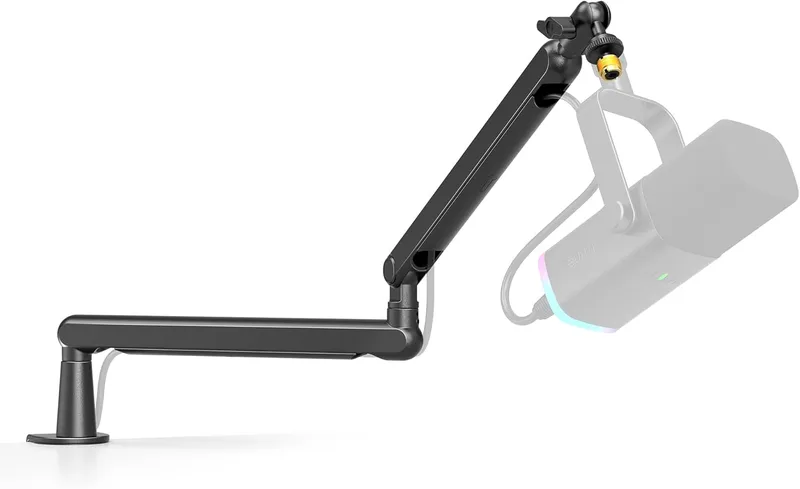
Best for: Compact desks that need the arm hidden without the flagship spend.
- Low profile silhouette: Folds below monitor height and stays out of webcam frames.
- All-metal construction: Solid joints with a premium-feel finish for the class.
- Concealed cable path: Tuck the mic cable along the boom instead of across the desk.
- Rotating desk mount: Swivels and locks at the angle your setup needs.
- Standard thread fitting: Accepts common streaming mic clips directly.
Pros:
- Low-profile look at a friendly entry ask.
- Metal build that punches above its class.
- Ideal partner for compact streaming mics.
Cons:
- Shorter reach than full suspension arms.
- Capacity suits lighter mics best.
- Instructions are minimal, though assembly is simple.
Hug the Desk with the FIFINE BM88
8. InnoGear Low Profile Microphone Boom Arm Stand
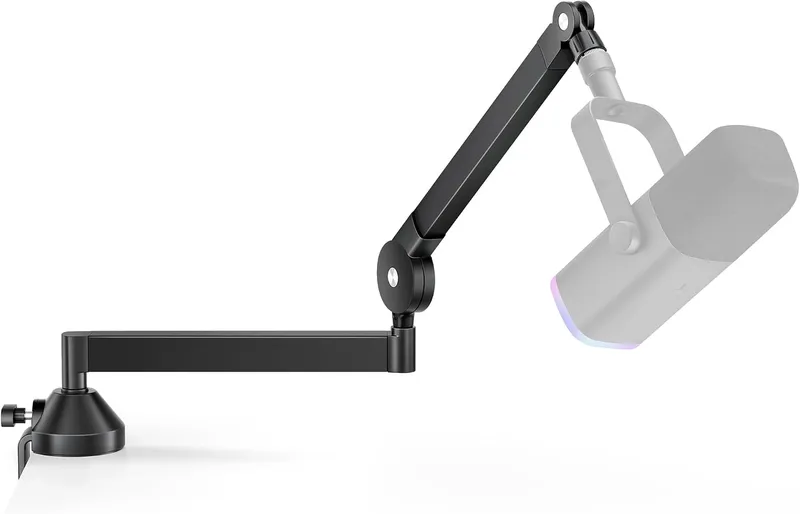
Best for: Flexible positioning across crowded, multi-device desks.
- 360-degree flexible joints: Sweep the mic around monitors, lights, and cameras in one arc.
- Low profile fold: Sits flat against the desk line, invisible behind your display.
- Weighted round base mount: Anchors cleanly where clamps cannot go.
- Standard thread with adapters: Pairs with popular USB and XLR mic clips.
- Compact footprint: Leaves small desks usable for controllers and notes.
Pros:
- Bends into positions rigid arms cannot reach.
- Works on desks where a clamp has no edge to bite.
- Friendly entry pricing for a second setup.
Cons:
- Lighter build suits lighter microphones.
- Base mount still prefers a stable, level surface.
- Joints need a firm hand to lock big mics in place.
Glide It In with the InnoGear Low Profile
9. TONOR T20 Adjustable Suspension Boom Arm
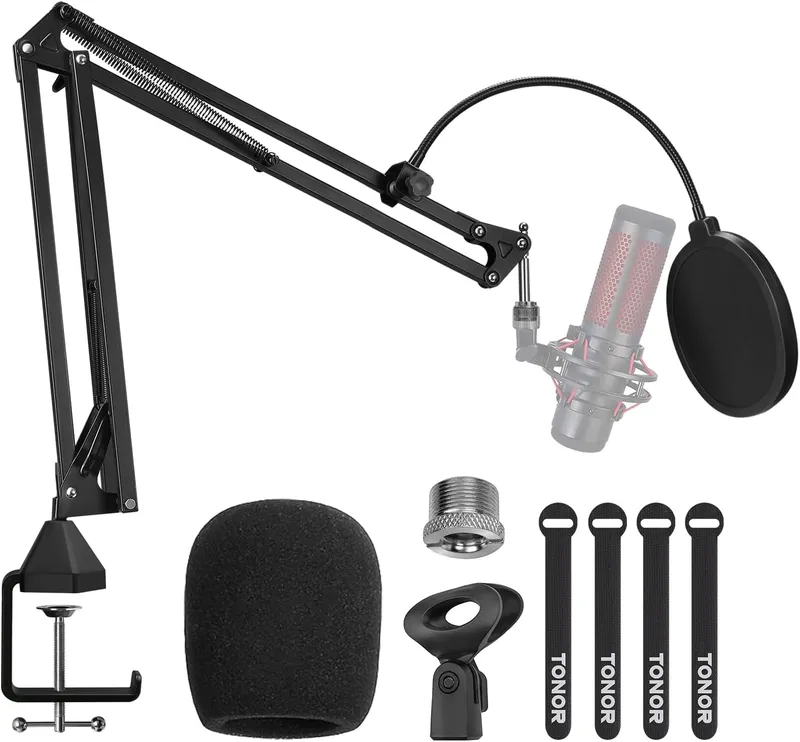
Best for: First streaming setups that need everything in one box.
- Complete mounting kit: Suspension arm, pop filter, foam windscreen, mic clip, adapter, and cable ties all included.
- Scissor suspension design: Stable spring support that absorbs desk knocks before they hit the mic.
- Wide compatibility: Fits popular streaming and podcast microphones with the included hardware.
- Screw-down C-clamp: Locks onto standard desk edges in seconds.
- Beginner-friendly assembly: No tools beyond your hands from box to first stream.
Pros:
- Nothing else to buy — the kit covers the whole signal chain mount.
- Suspension design that quietly does its job for years.
- The friendliest entry point in the roundup.
Cons:
- Full-height boom appears in wide shots.
- Capacity suits mid-weight mics, not broadcast tanks.
- Spring tension feels firm on first setup.
Frequently Asked Questions
Q1: Which of the best boom arms for streaming stays out of the webcam shot?
A: The low-profile picks — the Elgato Wave Mic Arm LP, FIFINE BM88, and InnoGear — fold below the monitor line, so a centered webcam sees only you and the mic. Full suspension arms like the TONOR T20, Gator, and PSA1+ swing in from above and show their booms in wide shots, which many streamers actually prefer for the studio look.
Q2: Will one of these arms hold a heavy broadcast microphone?
A: Yes — match the mic to the arm’s load capacity. The RØDE PSA1+ and Logitech G Compass carry heavy broadcast mics with shock mounts without sagging, the Gator and Samson handle full-size dynamics comfortably, and the lighter low-profile arms pair best with compact streaming mics.
Q3: Do the cables really stay hidden?
A: On the Elgato LP, Compass, Gator, and Samson, the cable rides inside or along the boom and effectively disappears. The rest ship with cable ties or clips that solve the same job neatly — route the wire down the arm, not off the back of the desk, and your set stays clean on any of the nine.
Q4: Clamp or base mount — which should I choose?
A: Clamps grip a desk edge and hold the strongest, which covers most streaming desks. A weighted base like the InnoGear’s suits glass tops, shallow shelves, and situations where a clamp has nothing to bite. Whichever you choose, solid contact with a stable surface matters more than the style of the mount.
Q5: Do I need extra adapters for my microphone?
A: Most modern USB streaming mics clip straight onto a 5/8-inch arm; broadcast and imported mics often use 3/8-inch threads. Every arm here covers the common cases — the TONOR T20 and Gator include adapters in the box, and the PSA1+ offers both threads natively — so check your mic clip’s thread against the listing before checkout.
Final Verdict
Nine arms, nine ways to take the wobble off your stream: the Elgato LP vanishes behind the monitor, the PSA1+ glides like studio hardware, the Compass turns a desk into a broadcast set, the AT8700 and Gator bring pro-audio reliability, the MBA38 reaches across any desk, the BM88 and InnoGear hide the whole rig on small footprints, and the T20 outfits a first studio in one box. If you want the best boom arms for streaming for stable mics and clutter-free desks, don’t overthink it—these are already:
✔ Tested for clamp grip, drift under heavy mics, and bump rejection on live desk setups.
✔ Reviewed for the details streamers feel first: cable clutter, on-camera silhouette, and repositioning noise.
✔ Proven by streamers, podcasters, and creators who go live daily.
Best Overall Pick – RØDE PSA1+
Best Budget – TONOR T20
Best Premium – Elgato Wave Mic Arm LP
Best for Broadcast Style Desks – Logitech G Compass